
Buying guide
The Minimal Desk Setup Checklist
8 min read · Updated October 2026

A minimal desk is not an empty desk. It is a desk where every object earns its place, nothing fights for your attention, and you can sit down and start working in under ten seconds. The good news: getting there takes an afternoon and a short list of the right pieces, not a full room makeover.
This checklist walks through the nine items that do the most work, the clutter you can safely remove, and the small layout rules that keep a desk looking calm a month from now, not just on the day you tidy it.
Start by clearing everything
Take every item off the desk and put it on the floor or a bed. Wipe the surface. Then bring things back one at a time, asking one question: did I use this in the last week? If the answer is no, it goes in a drawer, a box, or the bin.
Most people find that half of what lived on their desk was there by habit: old mugs, pens that do not work, a second charger, packaging, cables for devices they no longer own. Removing those alone makes the biggest visual difference.
The 9 essentials of a minimal desk
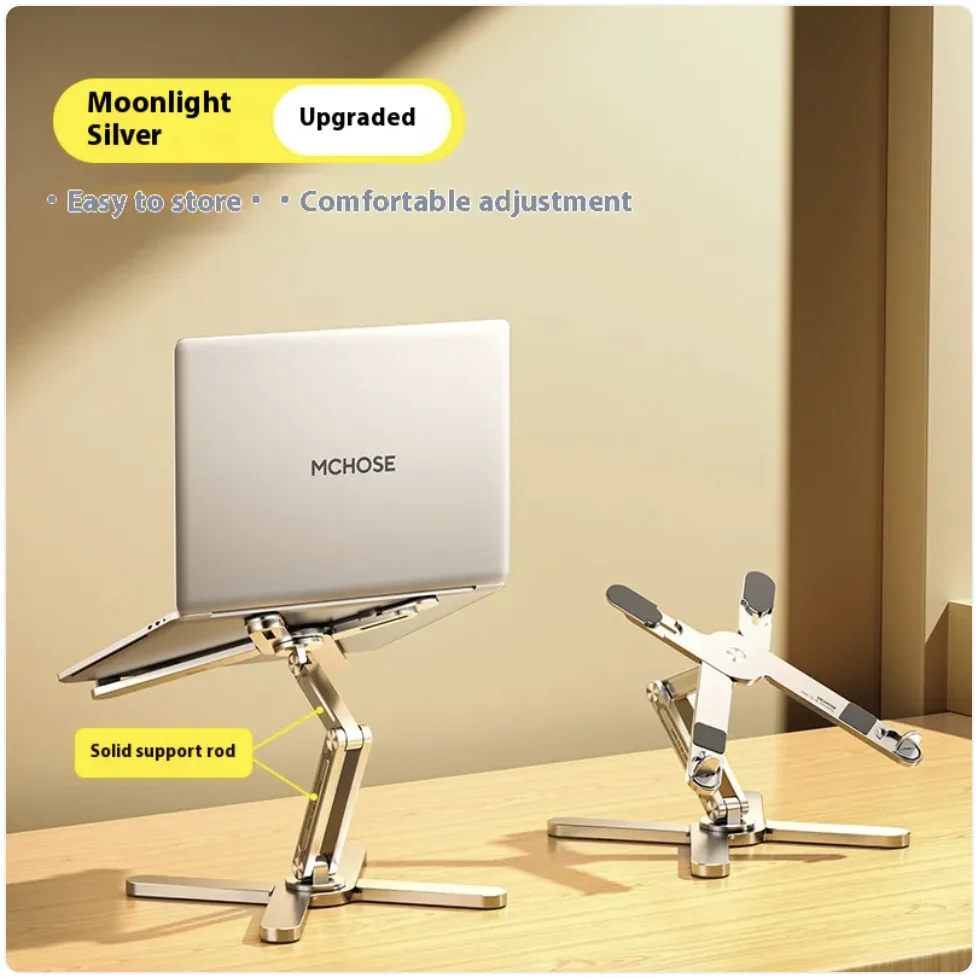
1. A laptop stand or monitor riser. Raising the screen to eye level is the single best upgrade for comfort, and it frees the space underneath for a keyboard or notebook. A folding aluminium stand also disappears into a bag when you need the desk back.
2. A desk mat. A large mat defines your work zone, protects the surface, quiets your mouse and keyboard and instantly makes mismatched items look intentional. Leather-look and cork mats wipe clean; a wireless charging desk mat removes one more cable.
3. One charger for everything. Replace the pile of bricks with a single multi-port GaN charger. A 65W two- or three-port model can charge a laptop and phone at the same time. See our USB-C charging guide to size it correctly.
4. A phone stand. Your phone is on the desk all day anyway; a stand turns it into a second screen for messages, a clock, or video calls, and stops it sliding around face-down.
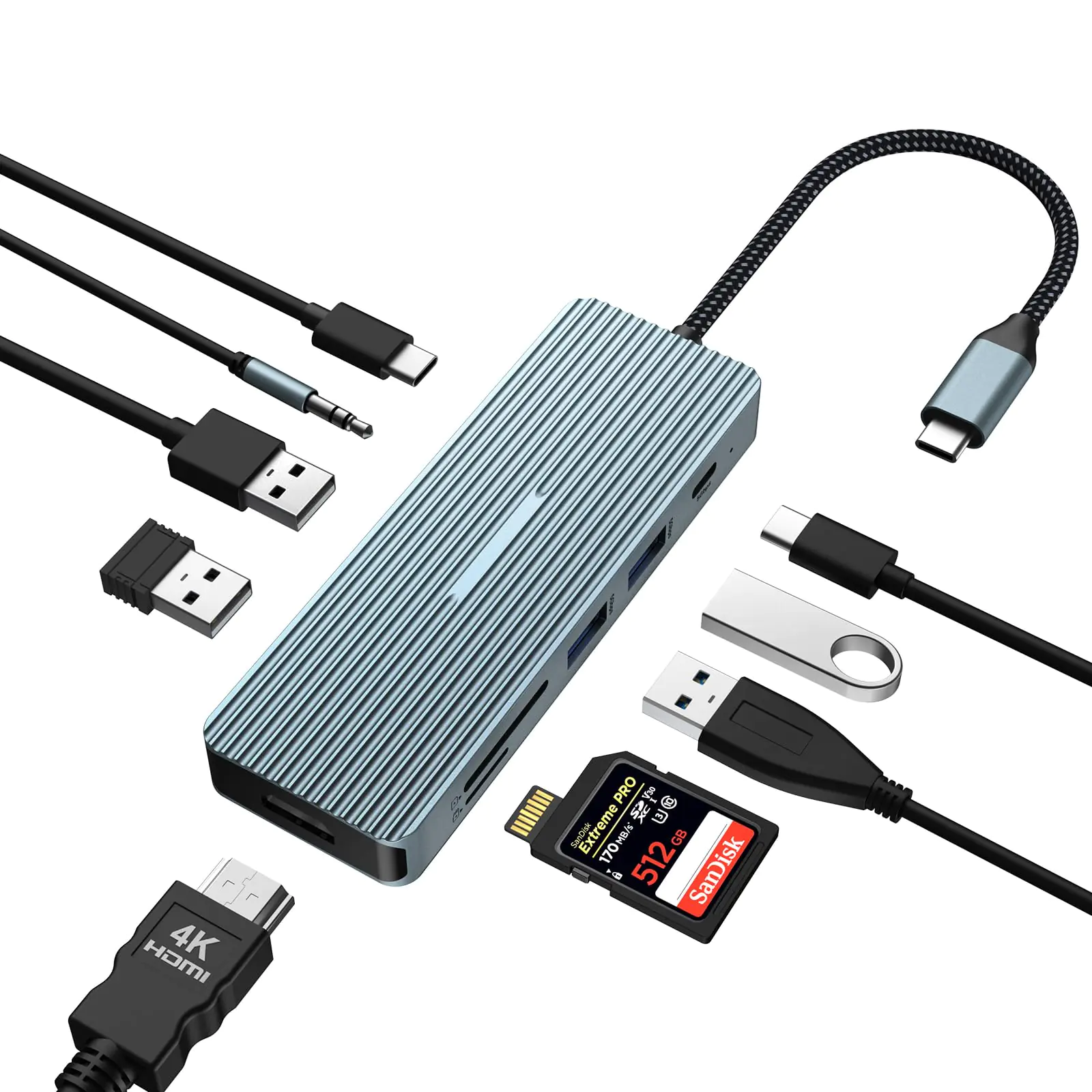
5. A USB-C hub or dock. If your laptop has only two or three ports, a 6-in-1 or 7-in-1 hub gives you HDMI, USB-A and card slots through one cable, so connecting at your desk is a single plug.
6. A good mouse. A quiet, rechargeable wireless mouse means no cable across the mat and no batteries in the drawer.
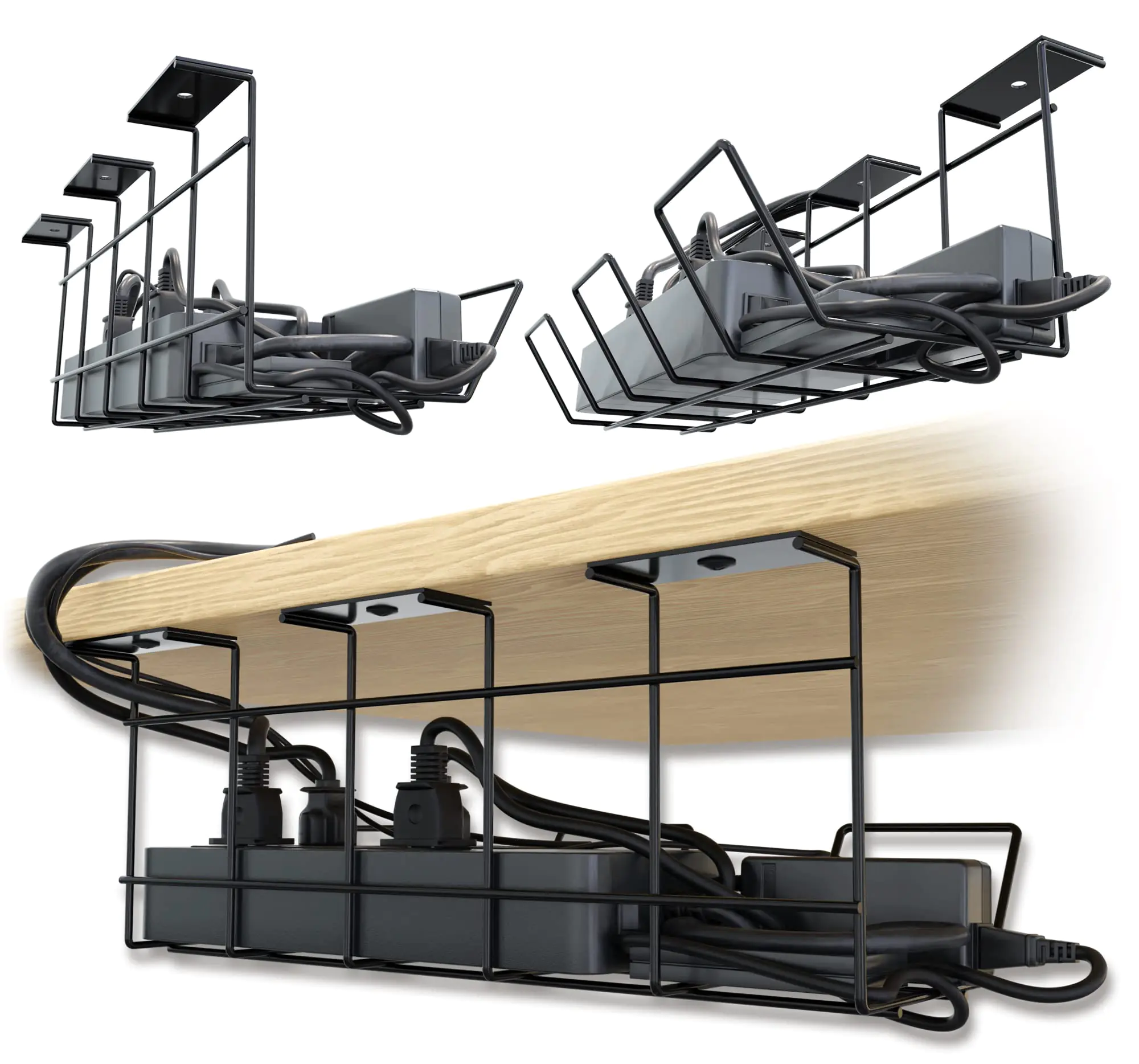
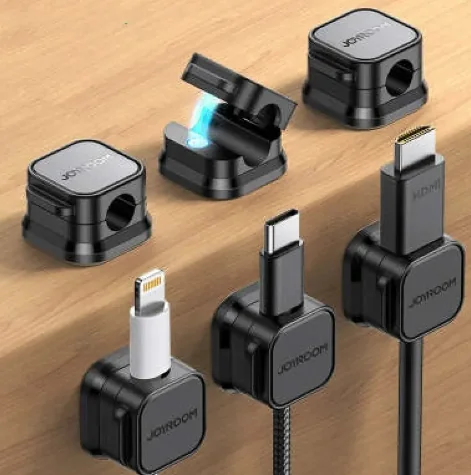
7. Cable management. A small under-desk tray and a few magnetic cable clips do more for a clean look than any decoration.
8. A light source. Daylight from the side is ideal. At night, a small LED bar or desk lamp reduces eye strain more than turning up screen brightness.
9. One personal object. A plant, a photo, or a speaker you love. One, not five.


Hide the cables (this is where most desks fail)
Cables are the main reason a desk looks messy. The goal is that from your chair you see, at most, one cable per device, and none crossing the desk surface.
Mount a cable tray under the back edge of the desk and put your power strip and charger inside it. Run every cable down the back, into the tray, and only bring up the short final section to each device. Use magnetic or adhesive clips along the back edge so charging cables do not fall behind the desk when you unplug your phone.
Shorter is better. A 1 m cable at the desk is tidier than a 3 m one coiled behind the monitor. Save long cables for the sofa and the bedside.
Lay it out in zones
Think of the desk as three zones. The primary zone, directly in front of you, holds only the keyboard, mouse and whatever you are actively working on. The secondary zone, within arm’s reach to the left and right, holds the phone stand, a notebook and a drink. The back zone, behind the screen, holds things you rarely touch: the hub, a speaker, the plant.
Keep the primary zone empty when you are not working. That single habit is what makes a minimal desk stay minimal.
What to skip
Desk organisers with many compartments tend to collect clutter rather than remove it; one small tray for pens and a phone is enough. Multiple chargers, multiple mouse pads, and decorative items you have to move to work all add visual noise. If you are buying a new item, try removing one old item at the same time.
The printable checklist
☐ Desk cleared and wiped ☐ Screen at eye level (stand or riser) ☐ Desk mat ☐ One multi-port charger ☐ Phone stand ☐ Hub or dock for one-cable connect ☐ Wireless mouse ☐ Cable tray and clips ☐ Side light or lamp ☐ One personal object ☐ Primary zone empty at the end of the day.
Prefer to get it in one go? Our Build Your Desk Setup bundle and Desk Upgrade Set group the core pieces at a bundle discount.
Pick a material and colour palette
Minimal desks look calm because the objects share a small palette. Choose two or three materials, for example aluminium, black and wood, and buy new items to match. A silver laptop stand, a black desk mat and a wooden organiser look deliberate together; a rainbow of plastic accessories never will, however tidy it is.
The same rule applies to cables. White cables disappear on a light desk and black ones on a dark desk. When you replace a cable, buy it in the colour of your setup and the right length for where it lives.
Keep packaging and spare parts out of sight. Boxes, manuals and spare screws belong in one labelled drawer or box, not on a shelf above the desk.
Small desk? Go vertical
If your desk is under 120 cm wide, every centimetre counts. Use vertical space: a laptop stand lifts the screen and creates storage space underneath, a vertical laptop holder parks a closed laptop on its edge when you work on a monitor, and a phone stand keeps the phone upright instead of lying flat.
Wall shelves above the desk are useful for books and a speaker, but keep them sparse. A shelf crowded with objects pulls your eye away from the screen just like a cluttered desk surface does.
If you share the space, a desk that can be cleared in under a minute is the goal. A single tray for small items and a cable that unplugs at the hub make it easy to reset the room.
A 5-minute weekly reset
Once a week, take everything off the primary zone, wipe the desk and mat, empty the tray, and put back only what you used that week. Check that cables are still clipped in place and that nothing new has crept onto the back of the desk. Five minutes a week is what separates a desk that stays minimal from one that slowly fills up again.
Treat the reset like charging your phone: a habit, not a project. Many people pair it with the last task on Friday, so Monday starts with a clean desk.
Frequently asked questions
What do I really need for a minimal desk setup?
A raised screen (laptop stand or riser), a desk mat, one multi-port charger, a phone stand, a hub if your laptop lacks ports, a wireless mouse, and basic cable management. Everything else is optional.
How do I hide cables on a desk without drilling?
Use an adhesive or clamp-on under-desk cable tray for the power strip and charger, adhesive or magnetic cable clips along the back edge, and shorter cables so there is less slack to hide.
Is a laptop stand worth it?
Yes, if you work on a laptop for more than an hour a day. Raising the screen to eye level reduces neck strain, and pairing it with a separate keyboard and mouse makes the setup far more comfortable.